How do I track my support requests?
*You must be logged into your help center account in order to access this feature.
You can use the Help Center to track your support requests.
If you belong to multiple organizations, you can also change the organization for a support request when you view it in Help Center.
To track your support requests
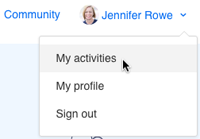
- Click your profile icon on the upper-right side of any Help Center page, and then click My activities.
By default, the page displays all requests that you have submitted.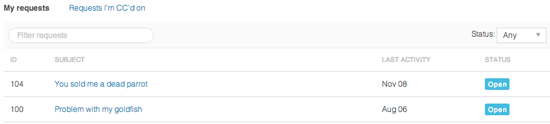
- To filter your requests by status, select a request status from the Status menu.
- Open is a ticket that's been assigned to an agent who is working to resolve it.
- Awaiting your reply is a ticket that's been assigned to an agent, but the agent is waiting for more information from you before resolving the ticket.
- Solved is displayed when work on the ticket is complete.
- To search your requests, enter a search term in the Search Requests box.
You can use ticket property keywords in your search if you'd like. - To see details about a request, click the request title.
If you belong to multiple organizations, you can change the organization for a support request when you view details for that request.